

Resources
Resources are the catalogue entries that describe what your team works with — cable by the metre, junction boxes by the unit, ladder hire by the day, electrician labour by the hour. Define a resource once and it becomes available for task requirements, stock tracking, QR pickup authorization, and field report consumption. Resources also support unit conversions (feet to metres) and kit breakdowns (one installation kit → multiple components).
Resource Types
Materials & Consumables
- Physical items tracked by volume/quantity
- Examples: cable (meters), conduit (feet), mounting brackets (units)
- Depleted through field consumption
- Replenished through receipts
Equipment
- Reusable items with limited quantities
- Examples: ladders, forklifts, test equipment
- Transferred between sites, not consumed
- Returned after use
Labor
- Work effort tracked by hours or tasks
- Examples: electrician hours, installation tasks
- Used in task resource requirements
- Tracked in reports but not physical inventory
Resource Fields
Basic Information
- Name - Descriptive name (e.g., "Cat6 Network Cable")
- Category - Grouping for filtering (e.g., "Cabling", "Hardware")
- Default UOM - Standard unit of measure (e.g., "meters", "units", "hours")
- Description - Detailed specifications or notes
Inventory Control
- Is Consumable - True for items depleted by use (materials)
- Requires Protection - True for restricted inventory (QR code pickup required)
- Minimum Stock Level - Alert threshold for low inventory
- Standard Cost - Default price per unit (for budgeting)
Conversions - Embedded array for unit conversions and composite breakdowns
Resource Conversions
Conversion Types:

Unit Conversion               Composite Breakdown
     ↓                              ↓
Same Resource              Different Resources
1 ft → 0.3048 m           1 Kit → Multiple Items
resource: null            resource: [IDs...]
     ↓                              ↓
Cable (feet)              Door Kit → Door
     ↓                         ↓       Screws
Cable (meters)                ↓       Adhesive
                              └────→ Tape Measure
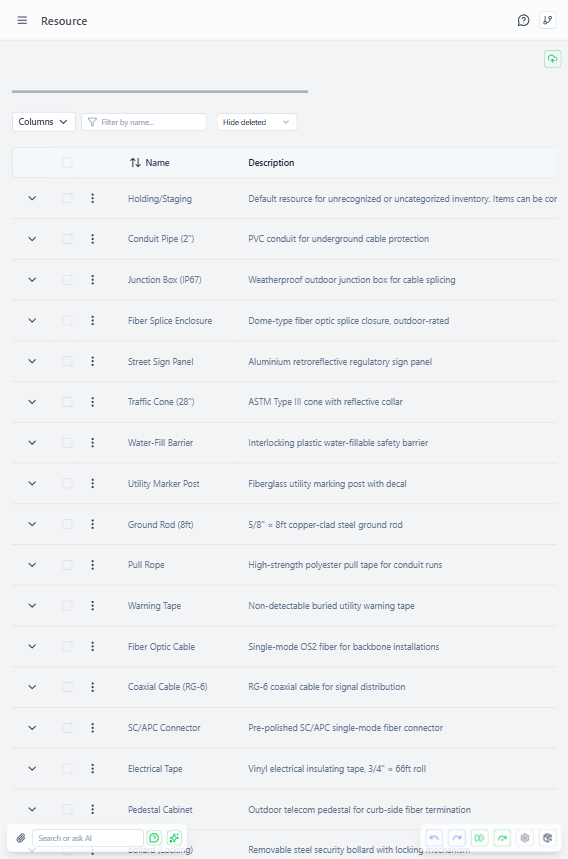 Resource detail page showing unit conversions and composite breakdown configuration
Conversions handle two scenarios in a unified structure:
Unit Conversions (Same Resource)
Convert between measurement units for the same resource.
Example: 1 foot of Cat6 Network Cable = 0.3048 meters. Add this conversion once and the system handles the calculation automatically whenever volumes are entered in feet.
Composite Breakdowns (Multiple Resources)
Break down assembled kits into component materials.
Example: A Door Installation Kit (1 unit) breaks down into: 1 tape measure, 12 mounting screws, and 0.5 litres of adhesive. When a kit is consumed, each component's stock is reduced accordingly.
Key Points:
- Unit conversions apply to the same resource in different units
- Composite breakdowns distribute one source item into multiple different resources
- Multiple outputs are supported (one source → many targets)
- Conversions are stored with the resource definition for fast lookup
Protected Resources
Resources marked as Requires Protection enforce QR code pickup:
- Stock items containing protected resources cannot be directly transferred
- Authorized assignment with pickup code required
- Scanning validates:
- The authorization code and its expiration
- Scanner is authorized recipient OR has
canFacilitatePickupspermission - Stock availability at source site
Use Cases:
- High-value equipment
- Controlled materials (require accountability)
- Items with regulatory requirements
Creating Resources
Access Required: resourcesCreate admin right
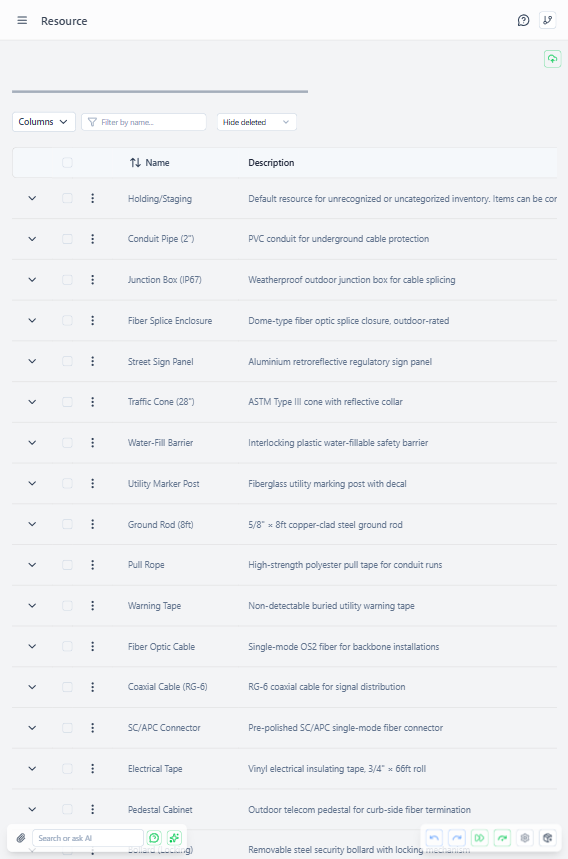 Resources page showing list of defined resources with categories and default units of measure
Common Workflow:
- Navigate to administration → Resources
- Click "Add Resource"
- Fill basic information (name, category, default UOM)
- Set inventory control flags (consumable, protected)
- Add conversions if needed (unit conversions or kit breakdowns)
- Save
Best Practices:
- Use consistent naming conventions (e.g., "Cat6 Cable" not "network wire cat 6")
- Set realistic minimum stock levels for consumables
- Add conversions early (harder to retrofit after stock items exist)
- Group related resources with category field
Resource Usage
Resources appear in:
- Tasks - Required materials/labor for work (multi-resource support)
- Stock Items - Physical inventory of the resource at sites
- Transactions - Movement and consumption records
- Reports - Actual consumption during field work
- Assignments - Resource targets (goals, not reservations)
Resources do NOT reserve inventory - they define what can be tracked. Stock items represent actual physical inventory.